

Product Enquiry
SKU: 010-02325-20
Product Name: Garmin GI 275 Base Kit EIS w/GEA 110 for Certified Aircraft w/ Installation Kit
Product Description
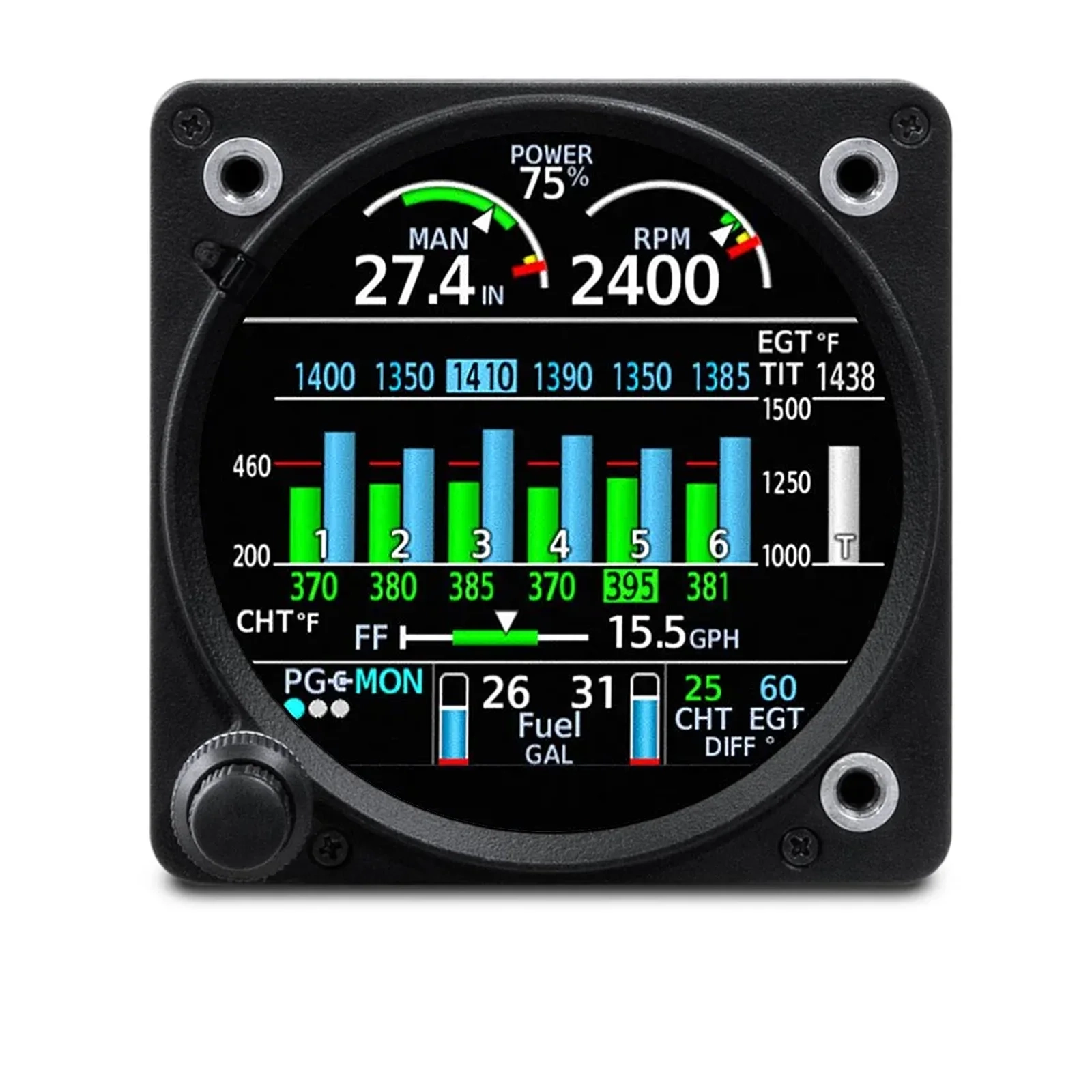
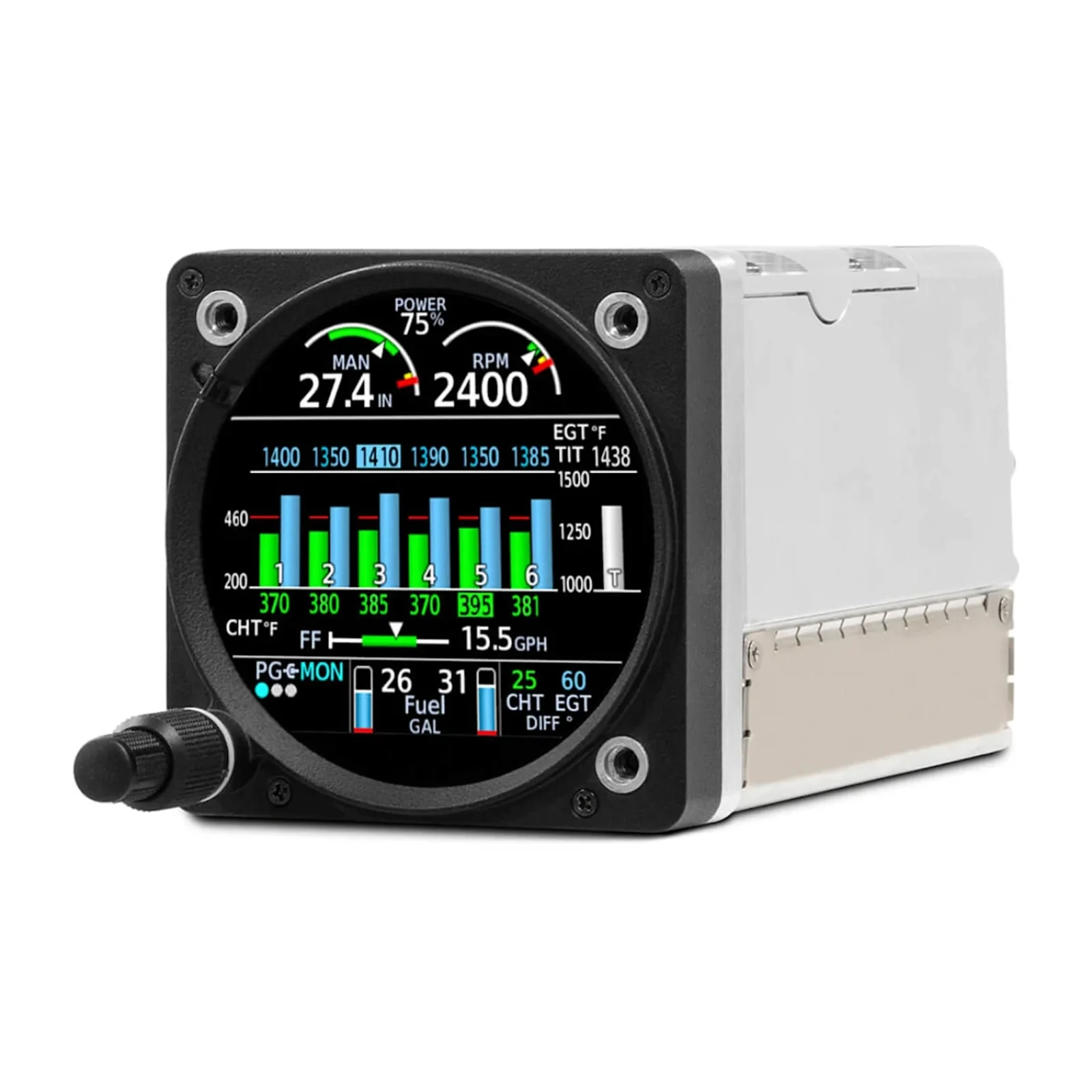
Garmin GI 275 Base Kit EIS w/GEA 110 for Certified Aircraft w/ Installation Kit
Engine Indication System (EIS)
Can also be configured as Multi-Function Display (MFD)
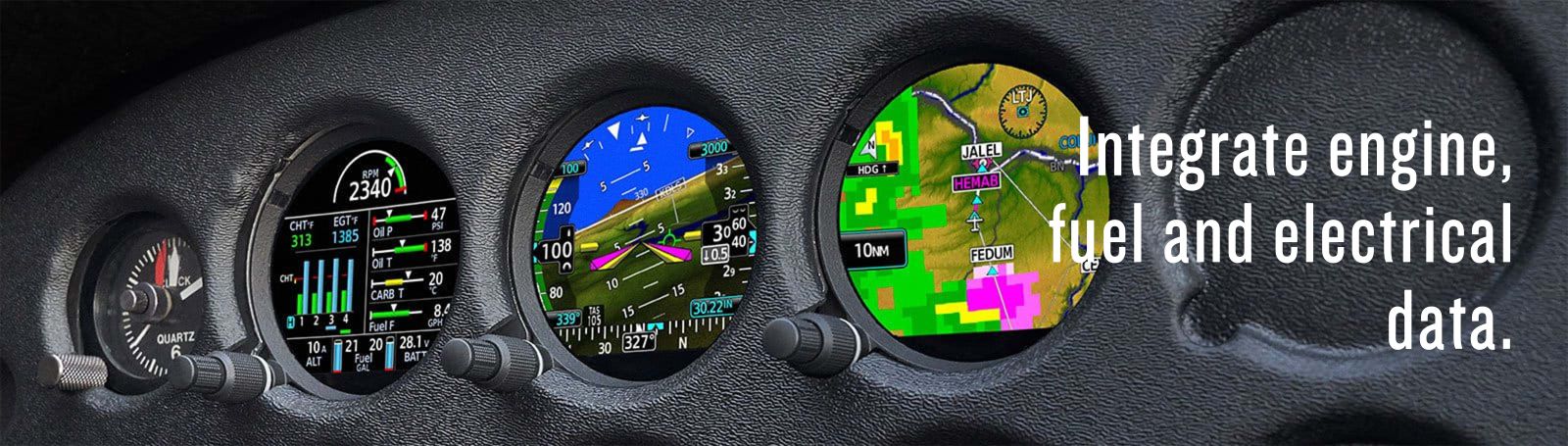
ONE DISPLAY. ALL YOUR ENGINE, FUEL AND ELECTRICAL INFORMATION.
Replace analog engine gauges in your airplane with this advanced, cost-effective and easy-to-install engine indication system (EIS). So you can manage your engine operation and protect your investment.
 |
 |
 |
 |
 |
 |
| Add a primary engine monitoring solution that replaces all your analog engine gauges. | Pair it with most normally aspirated or turbocharged 4- to 6-cylinder engines in piston singles and twins. | See all the readouts you need — with multiple pages for easy access. | Choose the qualified installer of your choice, even if they’re not a Garmin dealer. | The bright, high-resolution touchscreen is sunlight readable for easy visibility. | Stream engine data wirelessly to the Garmin Pilot™ smart-device app, then automatically upload it to the flyGarmin.com® website for secure storage. |
 |
 |
 |
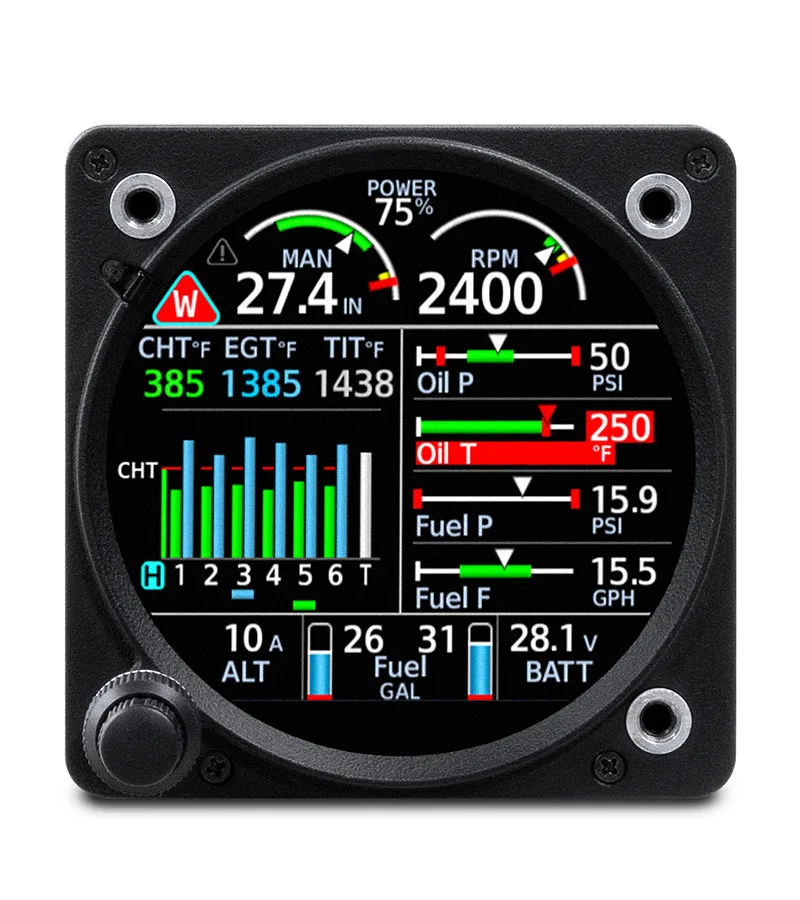
| PRIMARY EIS CAPABILITIES | EXTENSIVE INDICATIONS | PERCENT POWER |
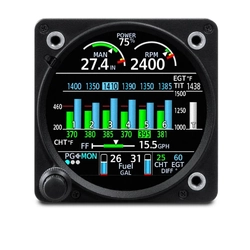
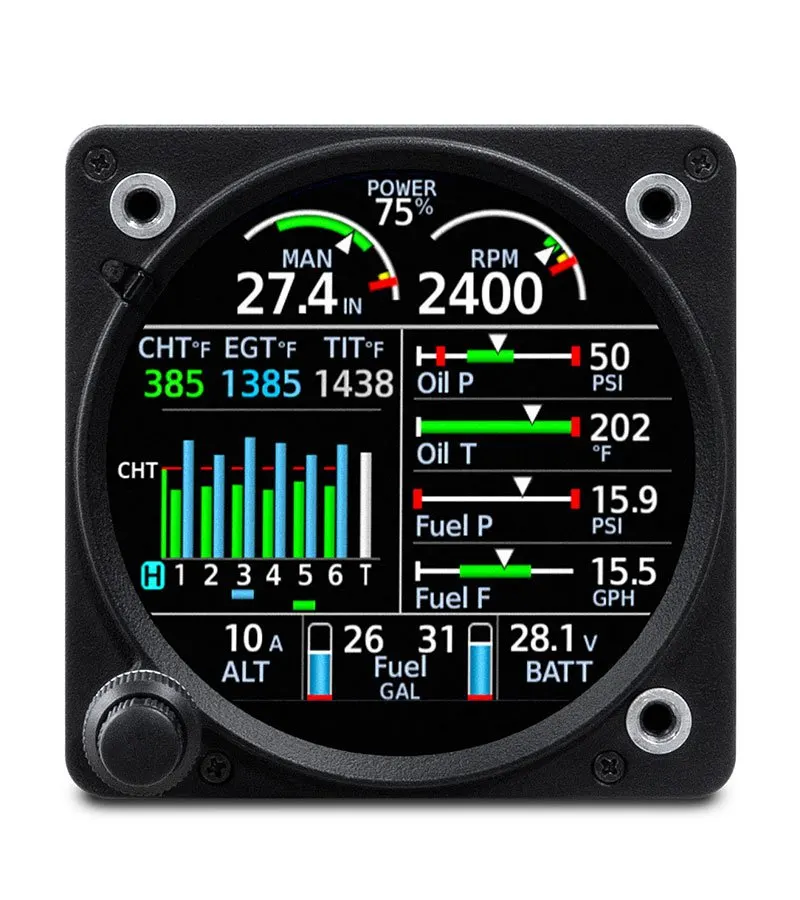
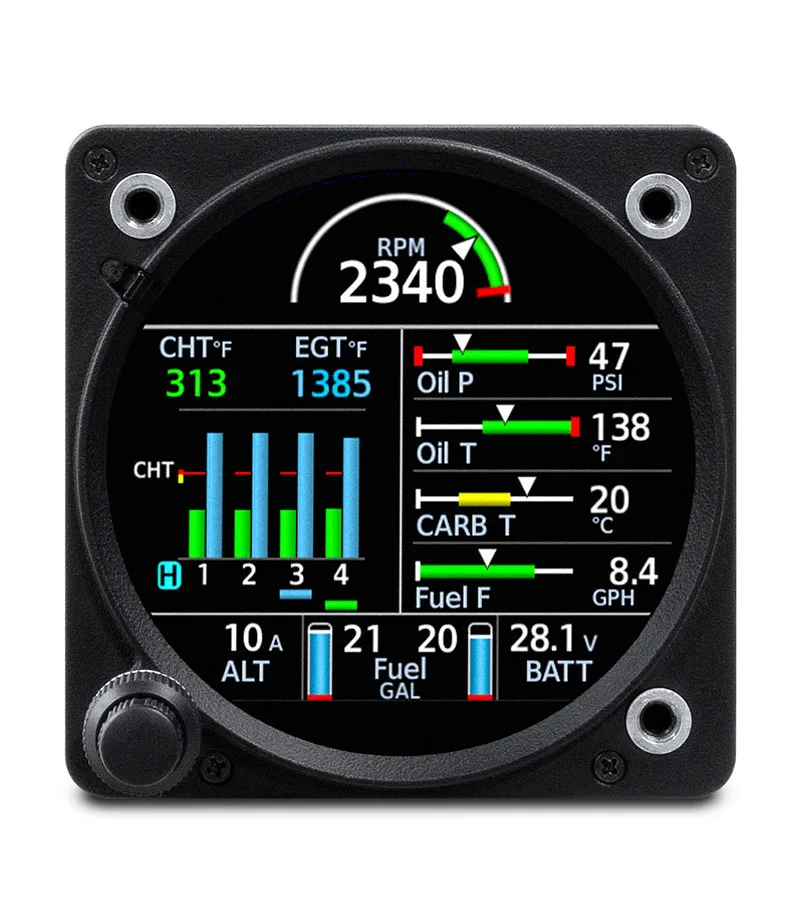
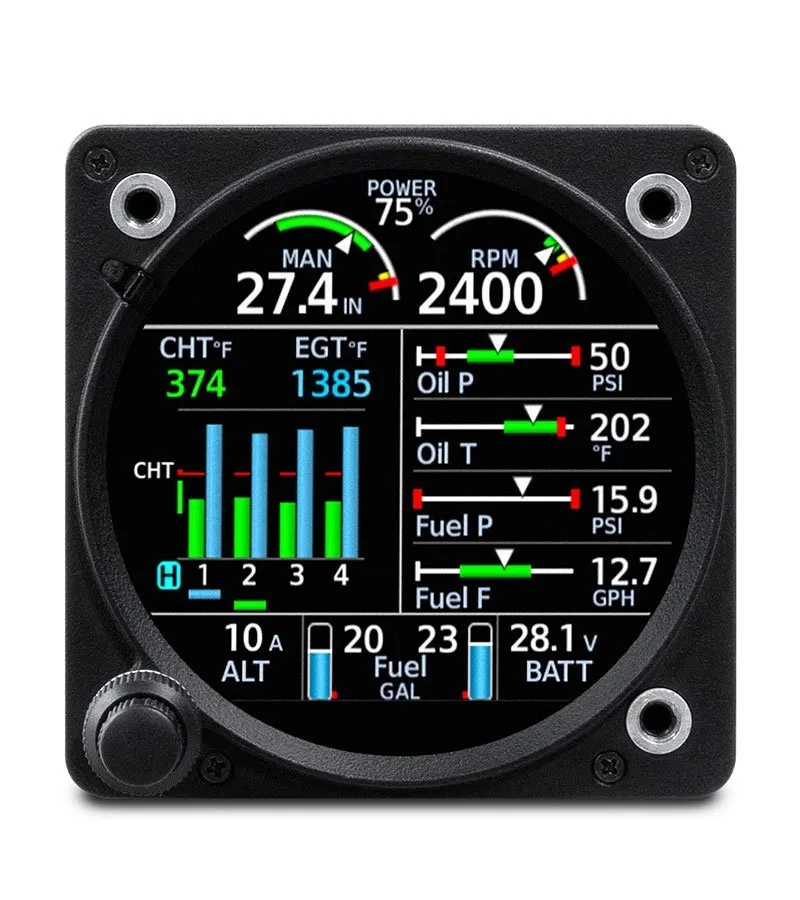
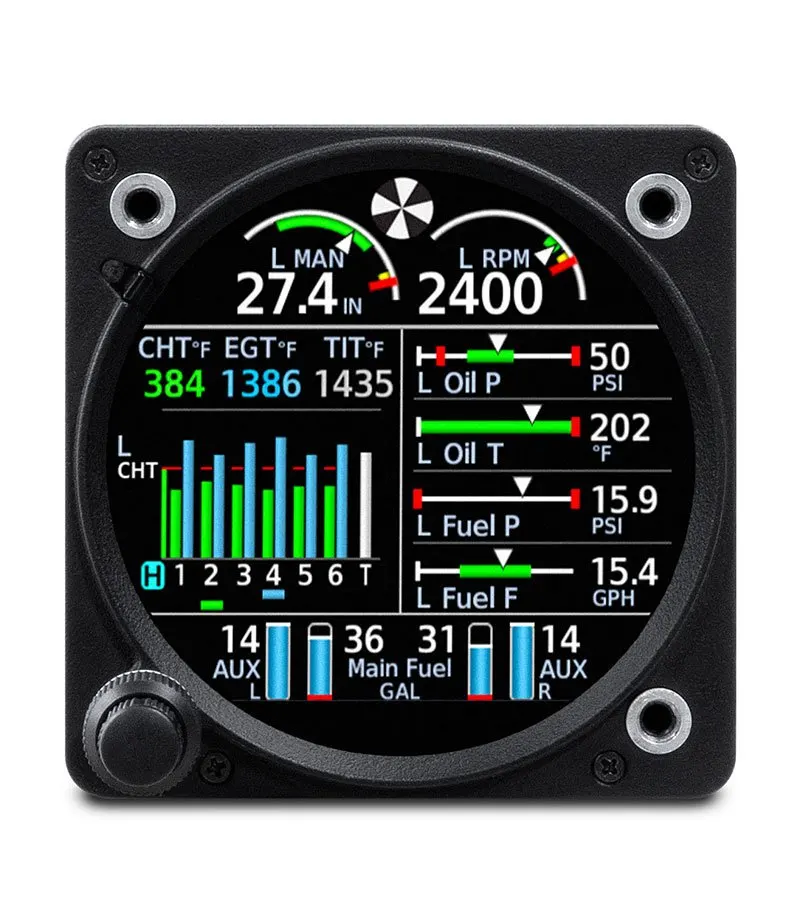
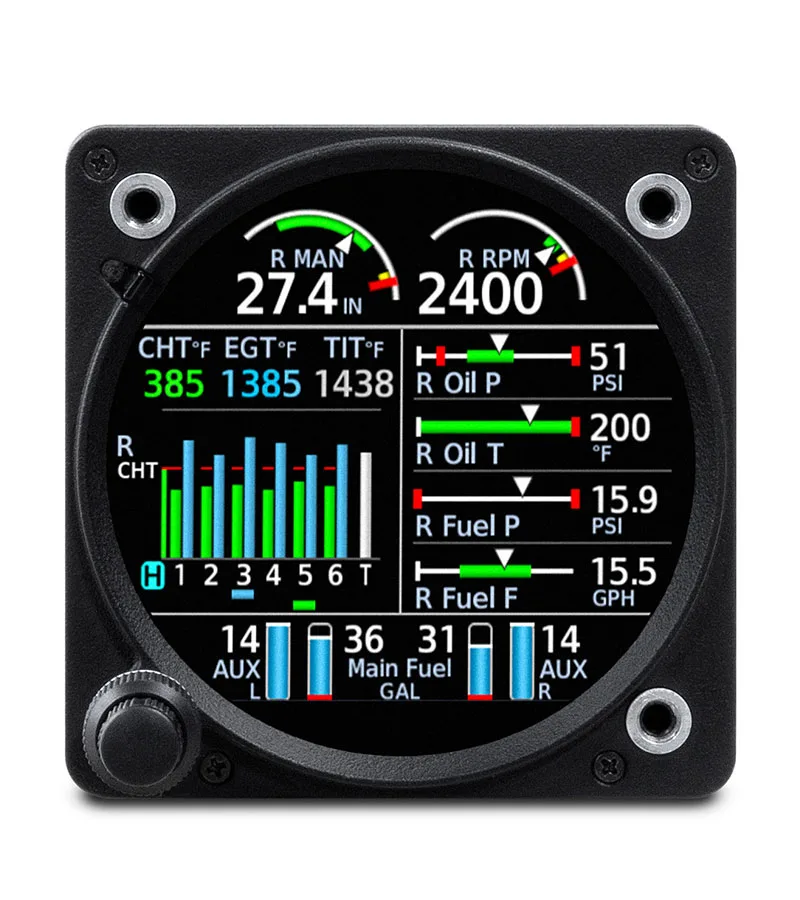
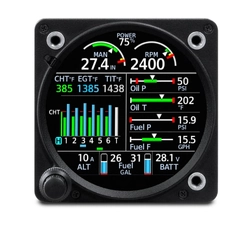
| With an installed interface module and sensors, GI 275 serves as an all-in-one primary EIS display for piston engine aircraft — so you can remove outdated analog gauges. Install dual GI 275 displays to monitor twin-engine aircraft. | The GI 275 main page displays engine, fuel and electrical data with easy-to-interpret color bands, bar gauge indications and numerical readouts. Your installer will configure your system for your aircraft with the appropriate indications. | Calculated percent power1 can be displayed at the top of each EIS page. Using sensor readings, this provides an estimated percentage of the maximum engine power for the current engine power settings. |
 |
 |
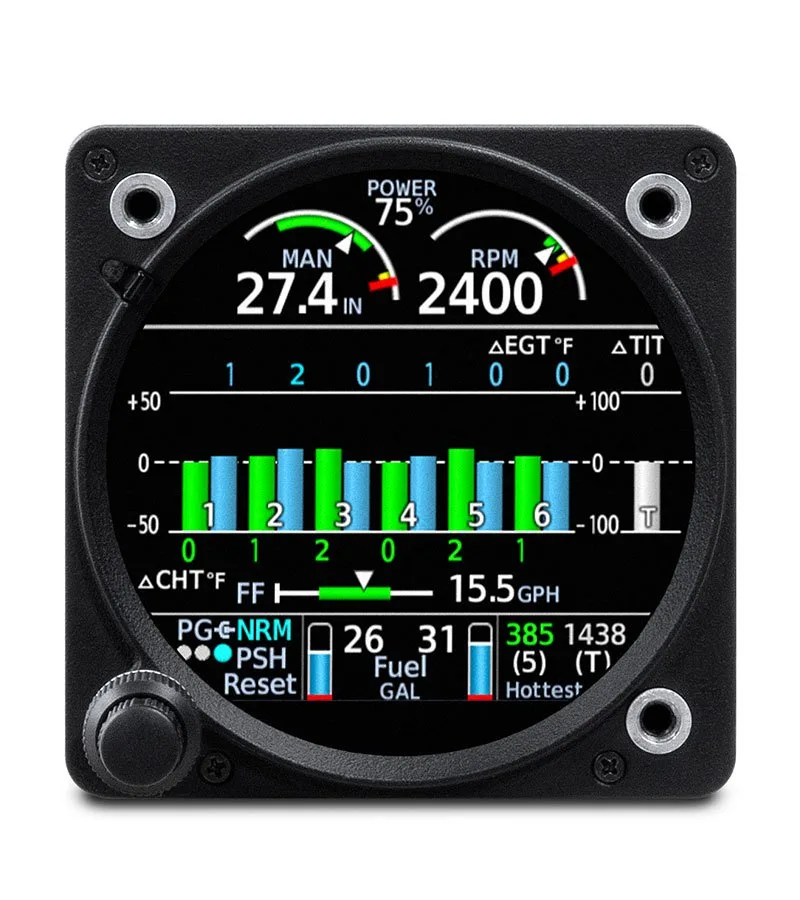 |
| CHT/EGT MONITORING | LEAN ASSIST MODE | NORMALIZED (NRM) MODE |
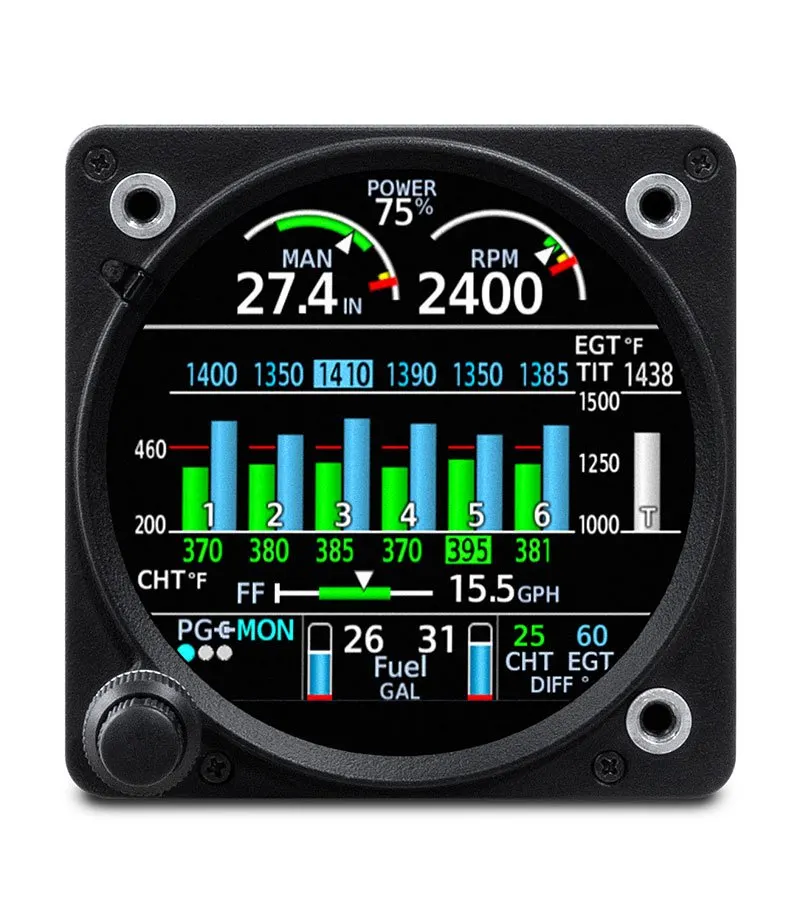
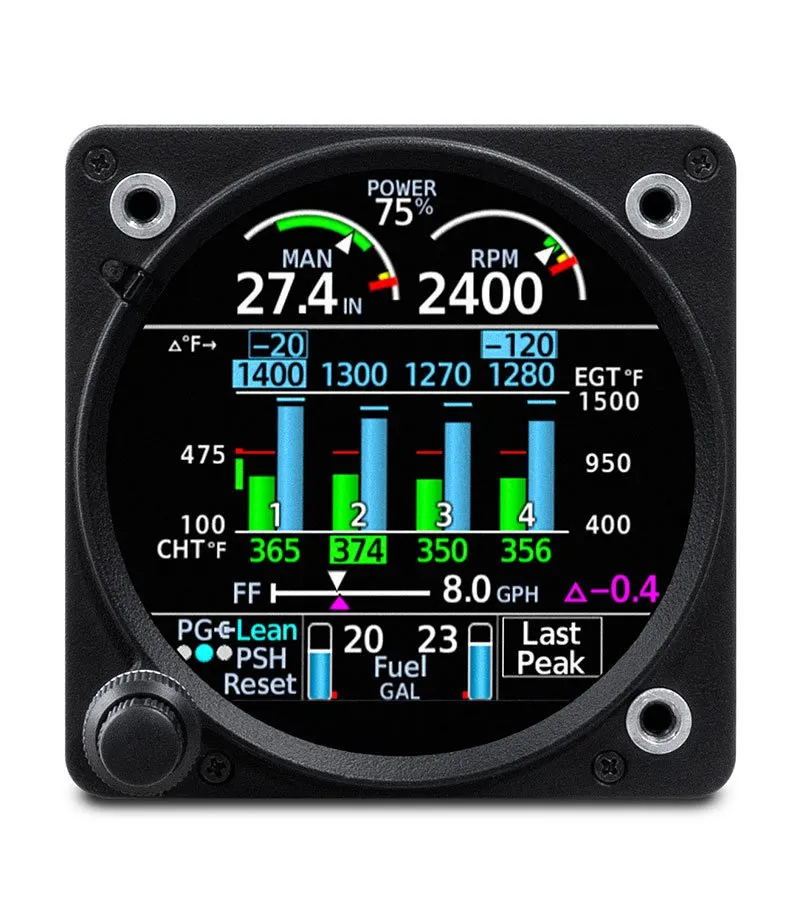
| Tap the temperature graphs on the main EIS page to enter the CHT/EGT page and view a detailed graphical display of cylinder head and exhaust gas temperatures, so you can pinpoint the optimal fuel/air mixture for efficient power management. | GI 275 automatically checks the EGT of all cylinders and identifies your preferred rich/lean setting to balance efficiency and performance. The CHT/EGT page also displays markings above each cylinder to indicate peak temperatures during leaning operations. | In NRM mode, the CHT/EGT page displays engine temperatures relative to a normalized value to increase indication sensitivity, so you can see trends quickly. |
 |
 |
|
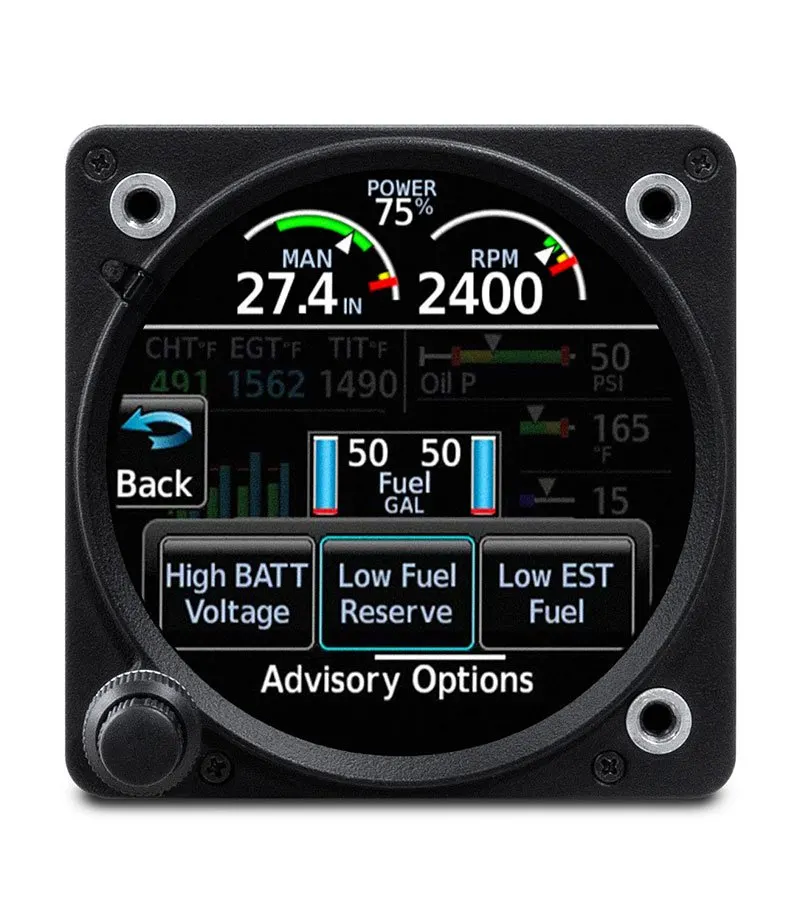
| PILOT ADVISORIES | EXCEEDANCES ALERTING | |
| Configure your GI 275 EIS to show alerts you’ve set to prevent getting close to POH limits, including high CHT, battery voltage, oil temperature, high CHT cooling rate and more. | Color-coded pilot alerts/advisories, set up to POH limits, help maintain engine performance and safety. Flashing cues quickly identify out-of-limit exceedances. |

 |
 |
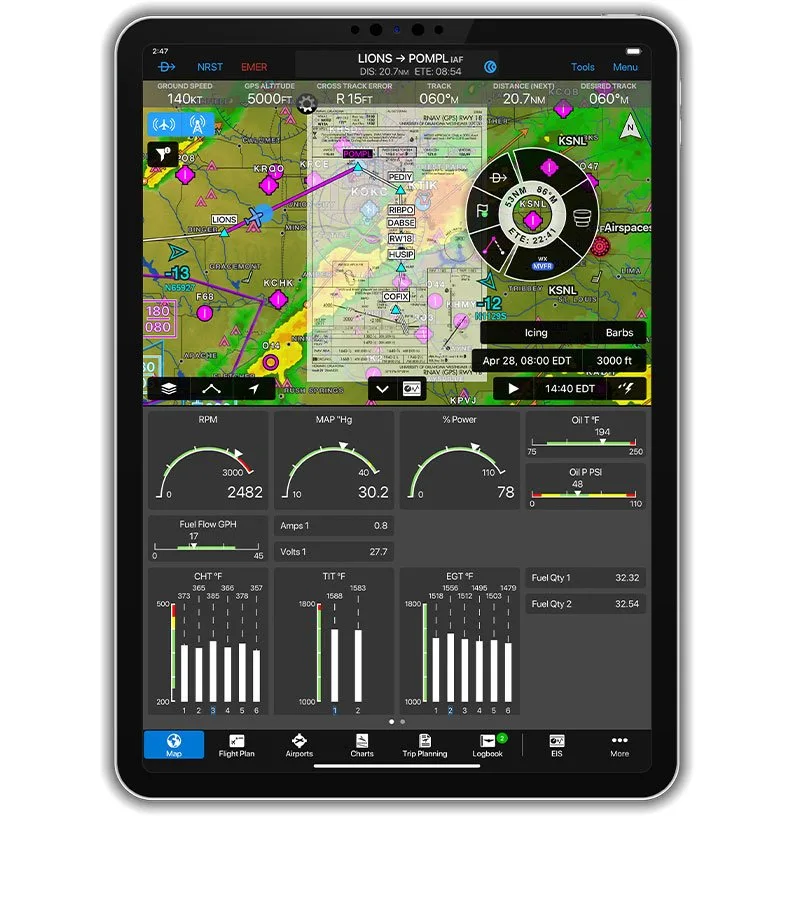 |
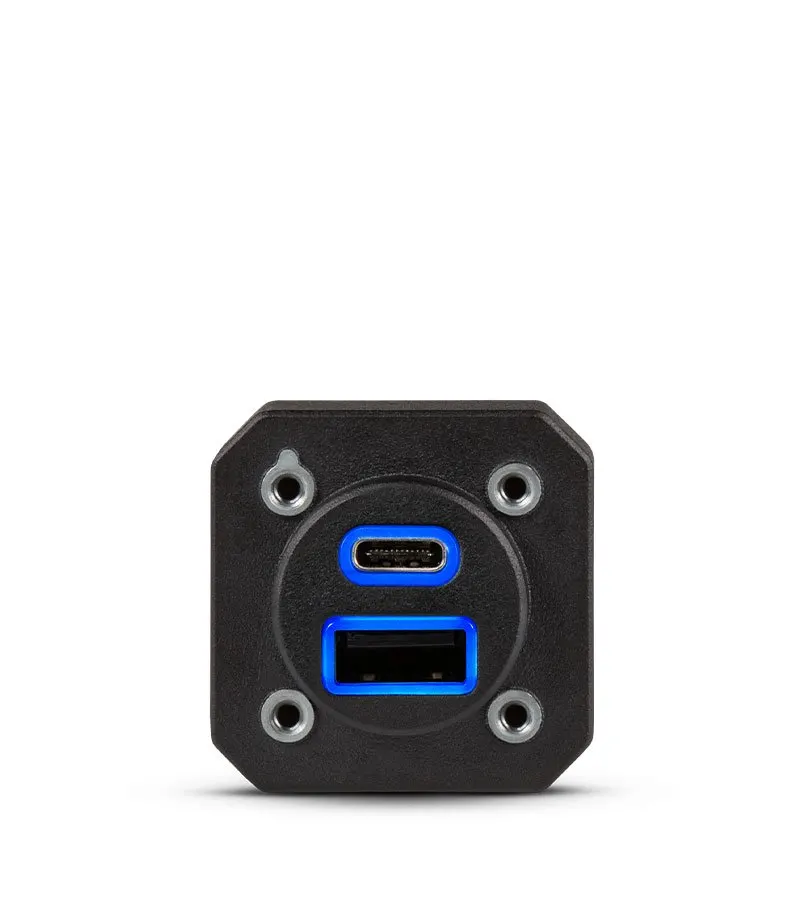
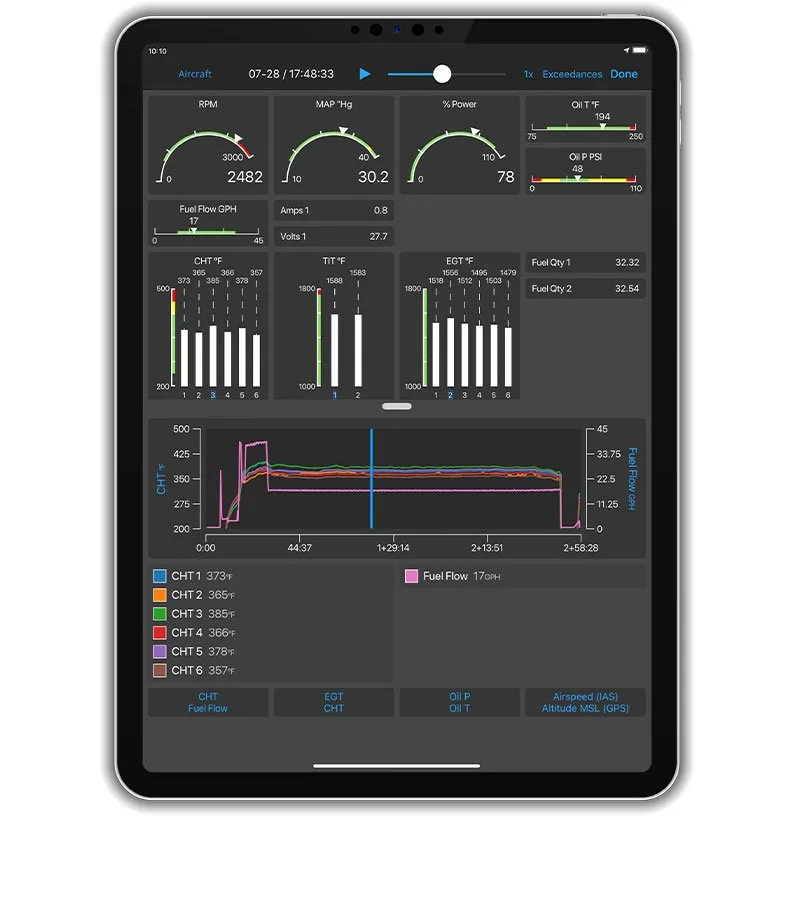
| AUTOMATIC DATA LOGGING | DOWNLOAD WITH A GSB™ 15 CHARGING HUB | STREAM TO GARMIN PILOT™ |
| To help you maintain control over aircraft maintenance and operating costs, engine data is automatically logged by GI 275 EIS and easily downloaded for review. | Pair with your GSB 15 USB charging hub to download engine data to a USB flash drive after your flight. Plus, charge USB-compatible portable electronic devices in flight with its dual ports. | With built-in Connext® wireless connectivity, GI 275 streams engine data to the Garmin Pilot app running on your tablet or smartphone. |
 |
 |
|
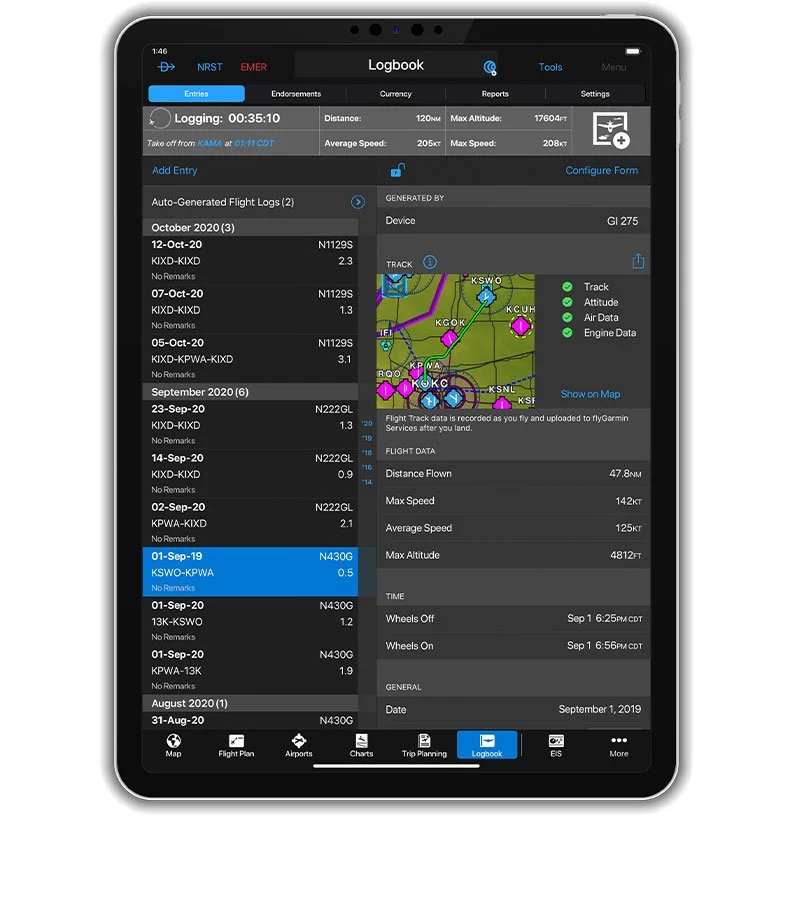
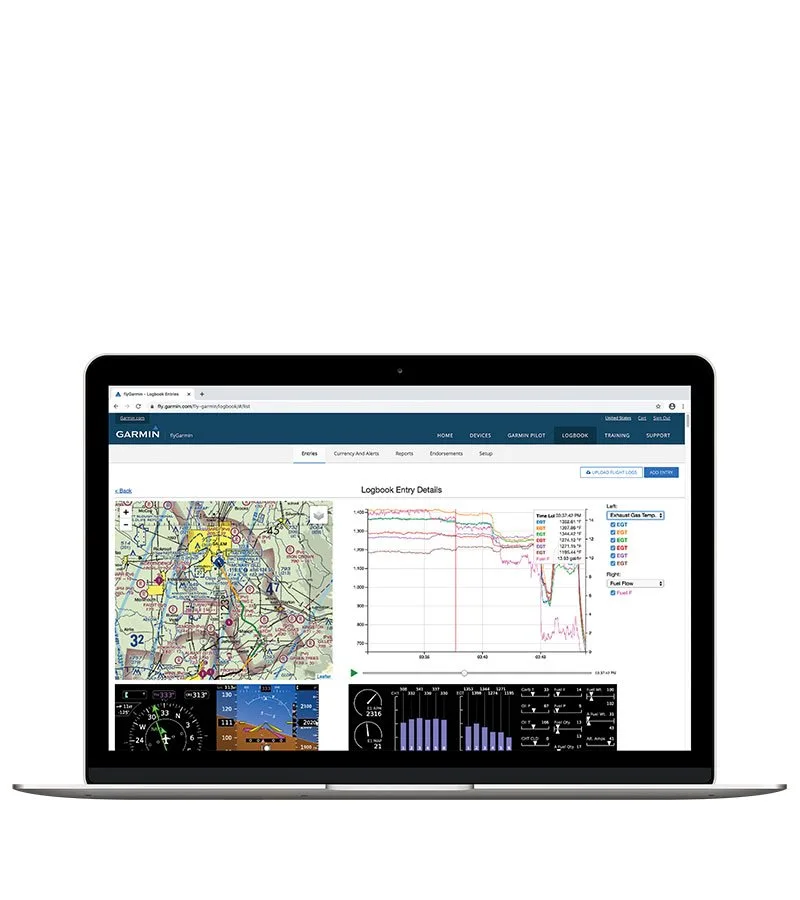
| >VIEW AT FLYGARMIN.COM | ANALYZE DATA | |
| The Upon landing, EIS data stored in the Garmin Pilot app is wirelessly uploaded to the flyGarmin website for viewing and secure storage. Or, you can upload it from your USB drive. | Your recorded data on your flyGarmin.com account can be retrieved and sent for third-party analysis to identify performance issues or maintenance needs in time to help avert more costly repairs later. |

 |
 |
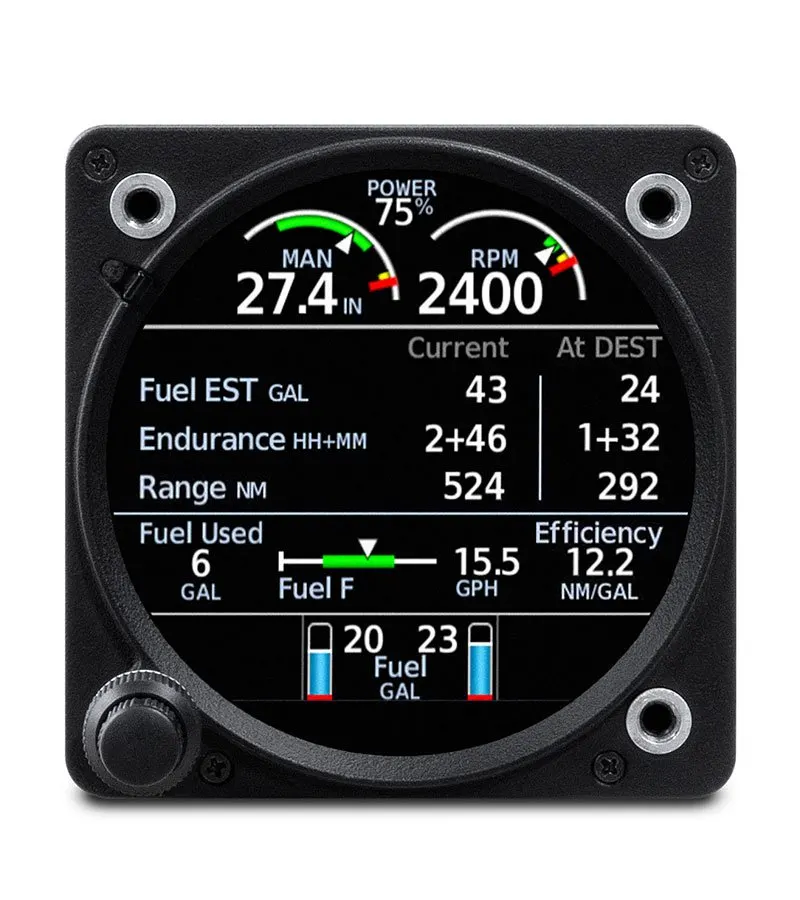 |
| FUEL QUANTITY | FUEL FLOW | INTEGRATED FUEL COMPUTER |
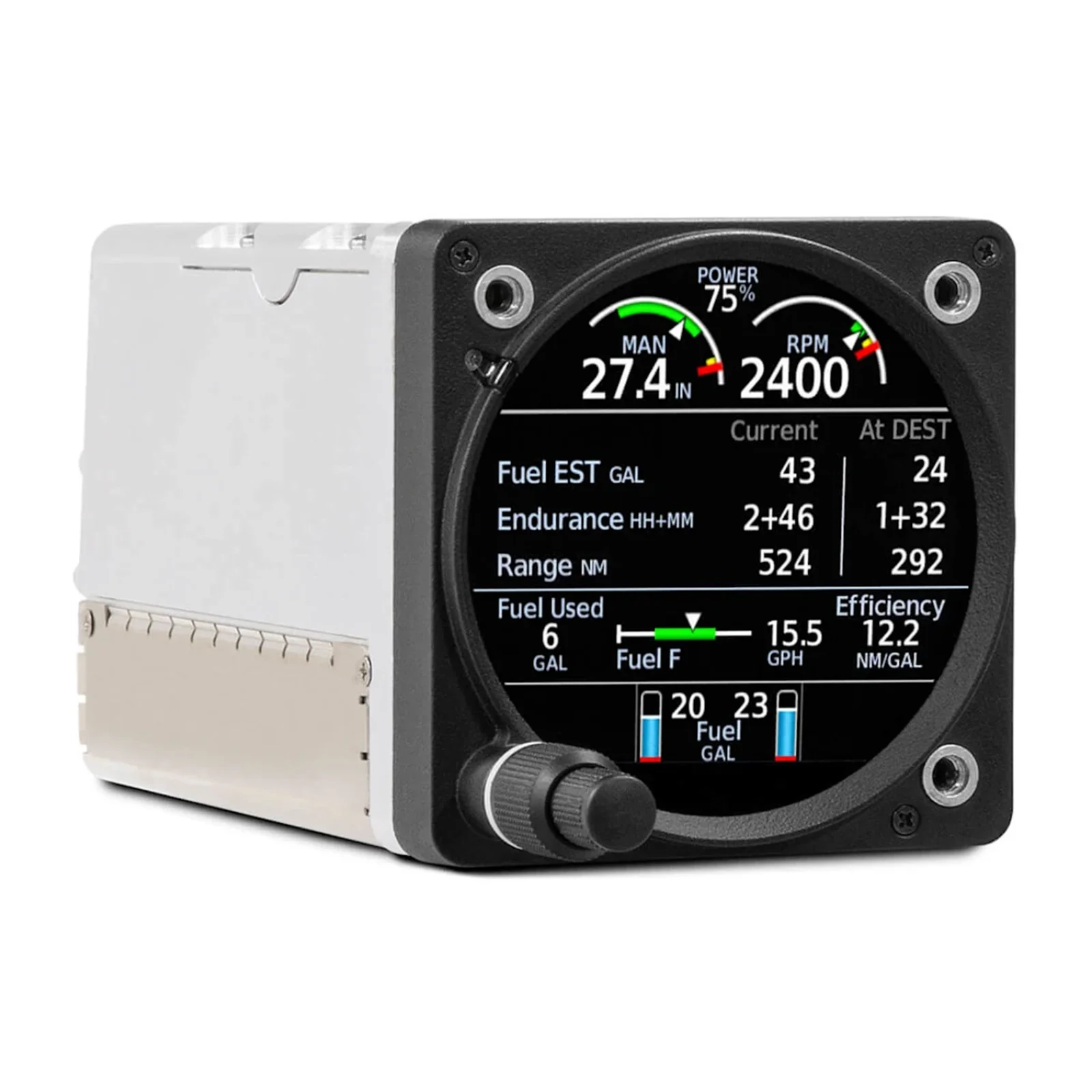
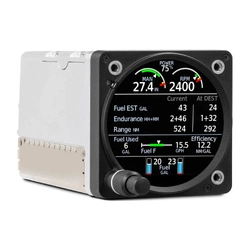
| See total fuel on board plus quantities for up to four tanks, including two main and two auxiliary tanks. | Monitor fuel flow from the main page to track fuel efficiency and range — and view fuel pressure to verify optimal system operation. | GI 275 EIS monitors fuel flow and GPS information to estimate how much fuel, range and flight time you have left to go at current settings. |
 |
 |
 |
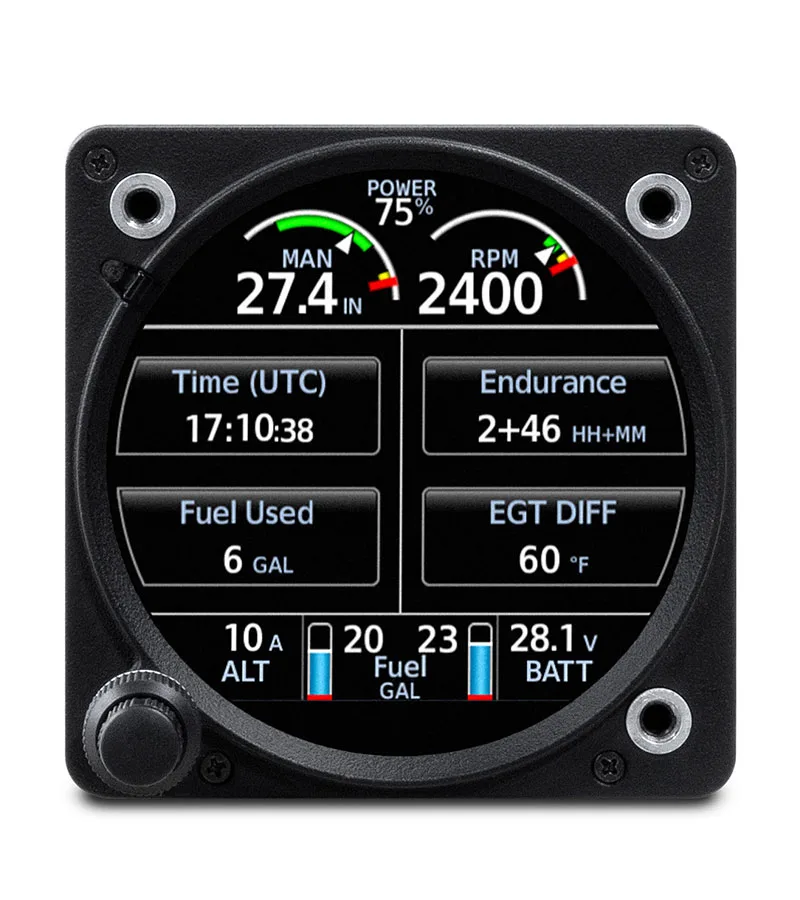
| USER-SELECTABLE FIELDS | AIRCRAFT TIMERS | FLIGHT SUMMARY DATA |
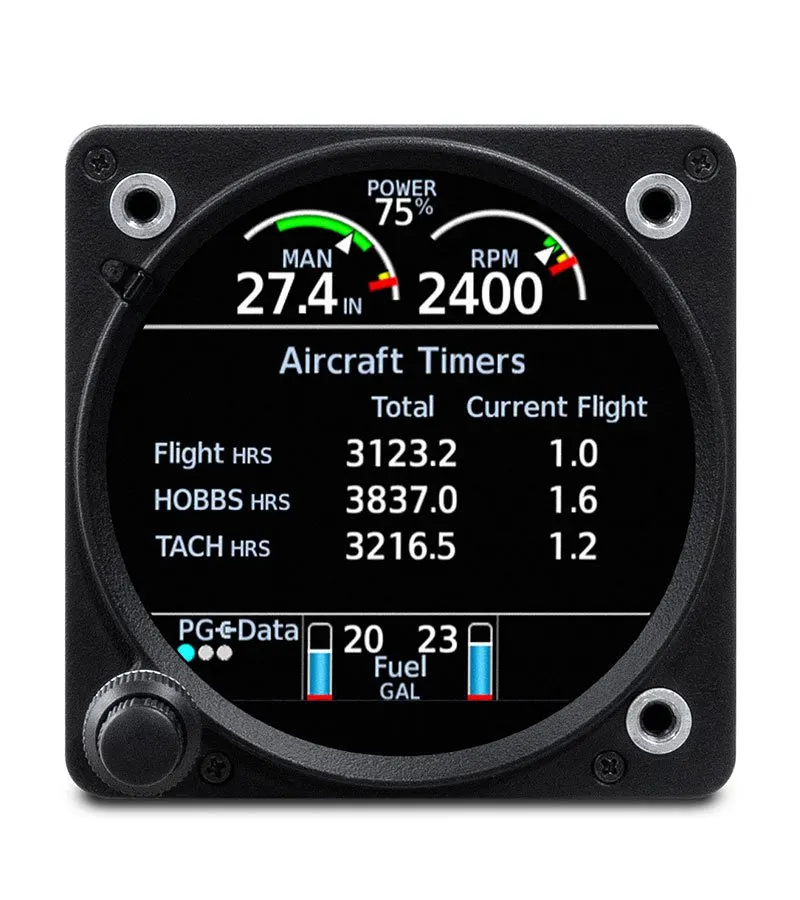
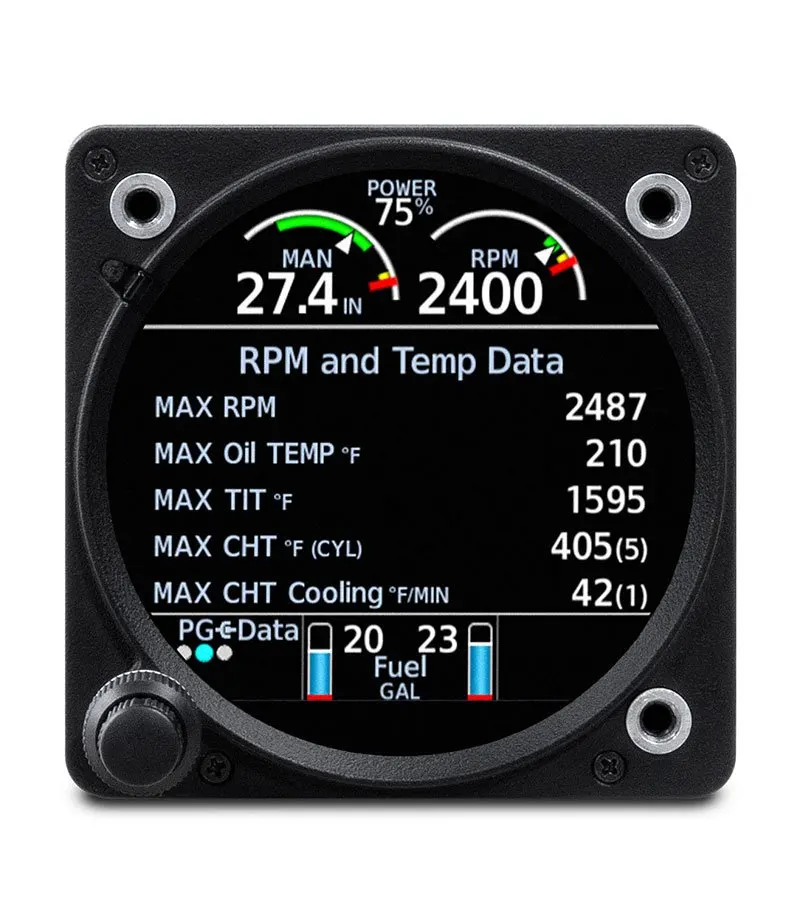
| Customize the auxiliary page with up to four fields to display the additional EIS information relevant to your flight — including fuel used, UTC time, ground speed, range and more. | See your aircraft’s total Hobbs, Tach and flight time — as well as times for your current flight on the flight summary page. | View max RPM/temperatures as well as fuel and lean data updated dynamically throughout each flight on the flight summary page — then review after landing. |
GEA™ 110 ENGINE INDICATION SYSTEM (EIS)
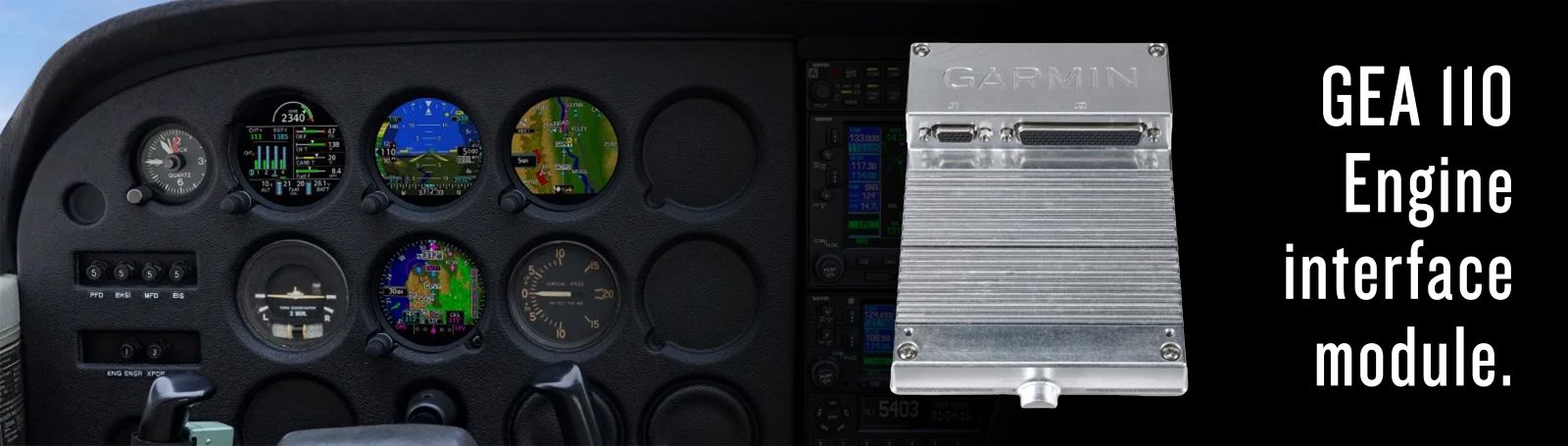
The GEA engine interface and monitoring module is required to convert engine sensor information to a digital format that can be displayed on an EIS. The specific GEA you choose depends on your aircraft class. Consult your Garmin dealer to determine which GEA is required for your installation.
The GEA 110 is designed for installation in FAR Part 23 Class I/II/III aircraft (piston single- and twin-engine aircraft weighing less than 12,500 lbs).
-
For use with GI 275 EIS for piston-engine aircraft
-
Environmentally hardened for mounting forward of firewall or in engine nacelles in a twin
The GEA 110 is a micro-processor based input/output Line Replaceable Unit (LRU) used to monitor sensor inputs and is designed for aircraft engine assessment. It interfaces with various sensors on the aircraft and communicates airframe and digital engine information to the Garmin GI 275 EIS display. The display serves as the user interface for the GEA 110. All configuration settings are controlled via software settings accessed by the display.
GI 275 VARIANTS
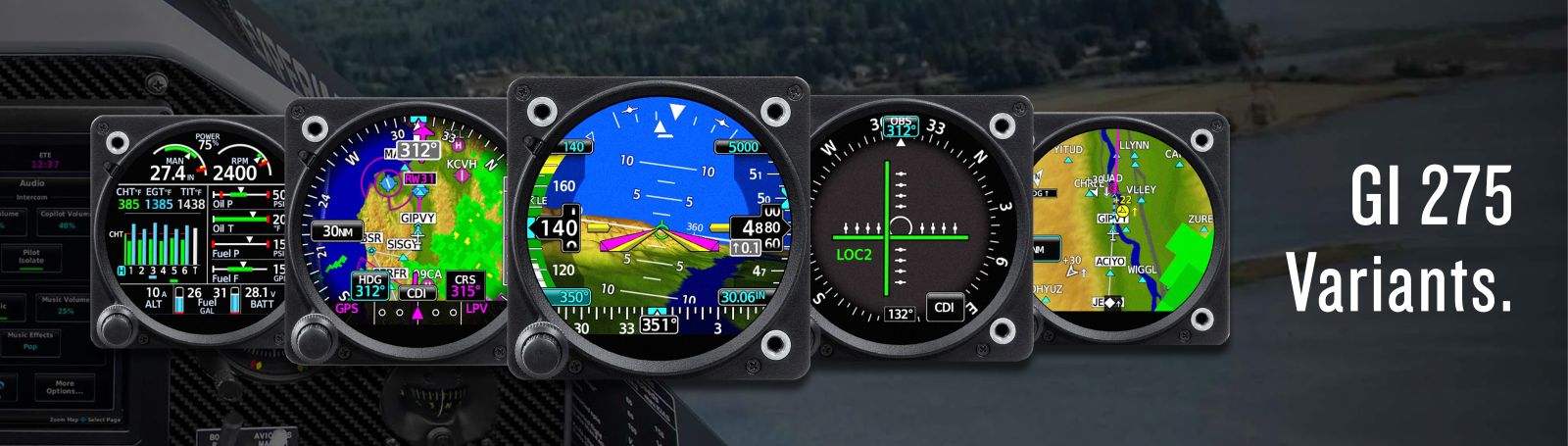
The GI 275 is available in three hardware variants: Base, ADAHRS, and ADAHRS+AP. All three variants use the same touchscreen display, control knob, main control board, and metal casing. The backup battery is optional for the GI 275 Base and standard for the GI 275 ADAHRS and ADAHRS+AP variants.
GI 275 Base
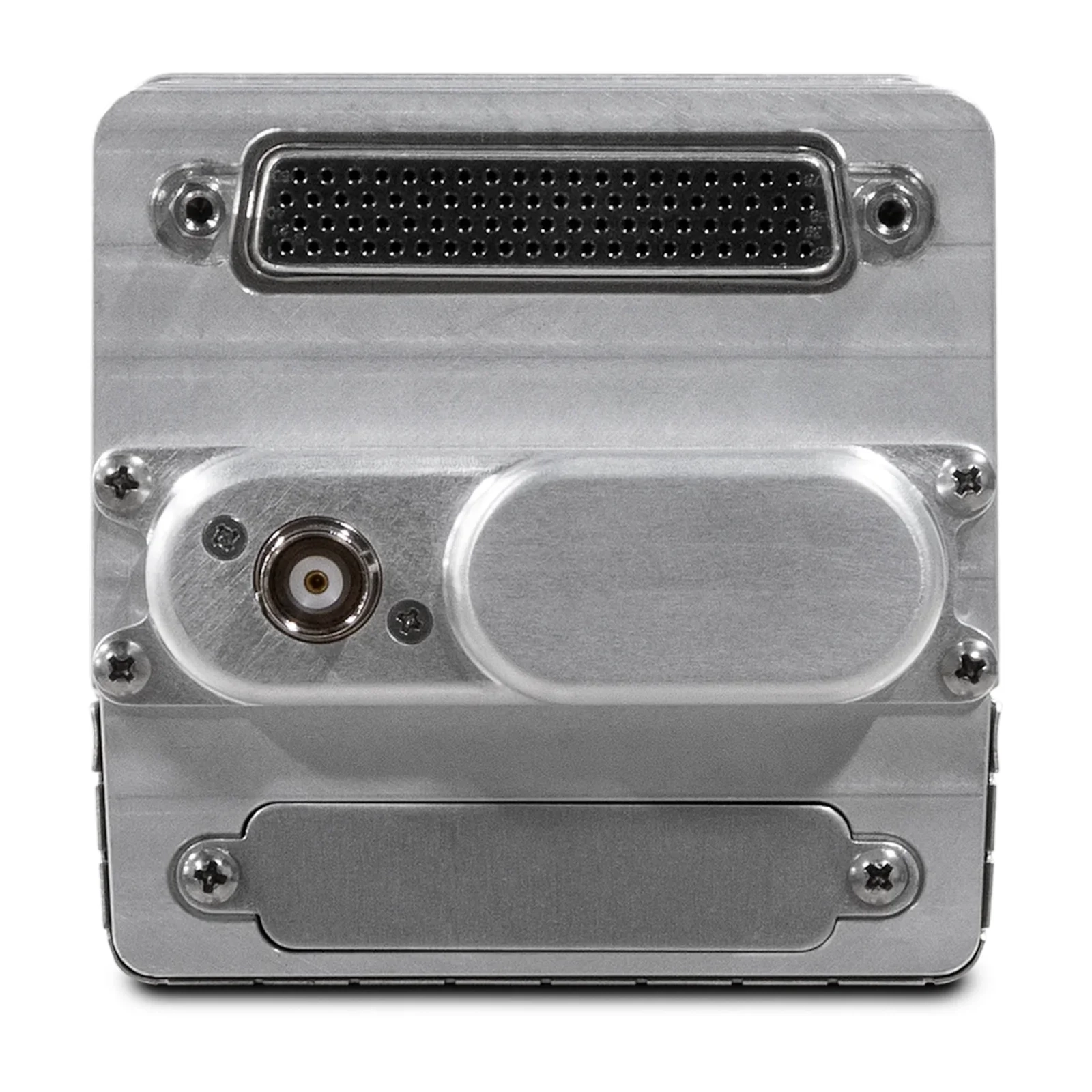
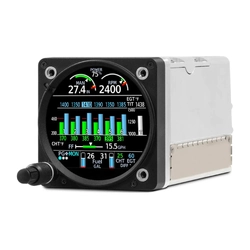
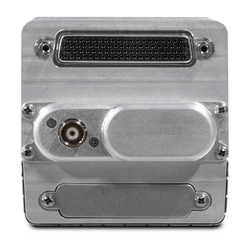
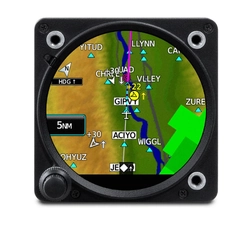
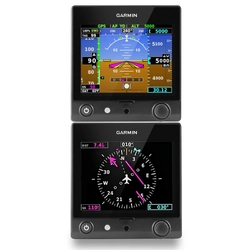
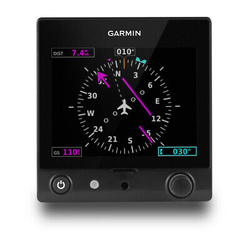
The GI 275 Base unit has one 78-pin D-sub connector and is capable of functioning as an MFD or EIS unit. If a GI 275 Base is configured in a system with a GI 275 ADAHRS or ADAHRS+AP unit, it may be configured as an HSI.
GI 275 ADAHRS
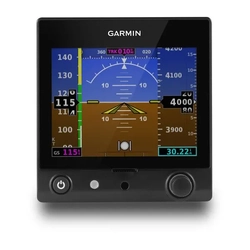
The GI 275 ADAHRS unit includes all the functionality of the GI 275 Base unit with an additional 78-pin D-sub connector, internal ADAHRS circuit board, and pitot/static port fittings. This allows the added functionality of a Primary ADI, MFD/Standby ADI, HSI, or HSI/Standby ADI, excluding non-Garmin autopilot outputs.
GI 275 ADAHRS+AP
The GI 275 ADAHRS+AP unit includes all the functionality of the GI 275 ADAHRS unit in addition to an internal autopilot control/interface circuit board. This allows it to drive an approved non-Garmin autopilot when configured as a Primary ADI or HSI. Garmin autopilots require only a GI 275 ADAHRS unit.
The following dedicated pages are available on a GI 275 MFD or MFD/Standby ADI:
-
CDI (MFD only)
-
ADI (MFD/Standby ADI only)
-
HSI
-
Stormscope
-
Terrain
-
Moving Map
-
Radar Altimeter
-
Traffic
-
Weather
-
Transponder
*If the GI 275 is configured as a Primary ADI, no other pages can be displayed.
GI 275 VARIANT FUNCTIONALITY TABLE
|
Function |
GI 275 Base |
GI 275 ADAHRS |
GI 275 ADAHRS+AP |
|
Primary ADI |
✓ |
✓ |
|
|
MFD/Standby ADI |
✓ |
✓ |
|
|
MFD |
✓ |
✓ |
✓ |
|
EIS |
✓ |
✓ |
✓ |
|
HSI |
✓* |
✓ |
✓ |
|
HSI/Standby ADI |
✓ |
✓ |
|
|
Autopilot Interface |
✓ |
*Requires interface to another GI 275 with an internal ADAHRS configured.
IN THE BOX / PACKAGE INCLUDES
| Kit Part Number | Part Number | Description |
| 010-02325-10 | Kit, GI 275 Base - EIS w/GEA 24 | |
| 010-02325-00 | Kit, GI 275 Base | |
| 010-02770-11 | GEA 24B, PMA, Standard | |
| 011-04809-00 | Sub-Assy, Conn Kit, GI275 | |
| 010-13022-00 | Product Registration, GI275 |
MANUALS
AVIONICS ACRONYMS
| STC | Supplemental Type Certificate |
| PMA | Parts Manufacturer Approval |
| AI | Attitude Indicator |
| ADI | Attitude Direction Indicator |
| AH | Artificial Horizon |
| HSI | Horizontal Situation Indicator |
| CDI | Course Deviation Indicator |
| PFD | Primary Flight Display |
| MFD | Multi-function Display |
| EIS | Engine Indication System |
| AHRS | Attitude, Heading Reference System |
| ADAHRS | Air Data, Attitude, Heading Reference System |
| ADAHRS + AP | Air Data, Attitude, Heading Reference System + 3rd party Auto Pilot |
INDEX
1When installing GI 275 as the primary ADI, EASA registered aircraft require at least one external approved GNSS sensor source to be connected to GI 275 for VFR night and IFR operations
3Standby ADI with HSI or MFD pages is available only for Class I/II aircraft
4Both GI 275 units must be ADAHRS versions to support reversionary capability
5Optional equipment may be required
6When a standby instrument is required by operational rules, EASA registered aircraft still require the retention of an existing attitude indicator or turn and bank indicator
The aircraft's magnetic compass must be retained for all GI 275 installations in EASA registered aircraft
Wi-Fi is a registered trademark of the Wi-Fi Alliance. The Bluetooth word mark and logos are registered trademarks owned by Bluetooth SIG, Inc. and any use of such marks by Garmin is under license. Sirius, XM and all related marks and logos are trademarks of Sirius XM Radio Inc.
Engineering enhancements are ongoing and may not be reflected in the pictures, videos and specifications.
Specifications
| SKU | 010-02325-20 |
| Brand | Garmin |
| Shipping Weight | 3.0000kg |
| Unit Of Measure | ea |
Reviews
Be The First To Review This
Product!
Help other Flight Store Pty Ltd users shop smarter by writing reviews for products you have purchased.
Write a product review
Garmin GI 275 Base Kit EIS w/GEA 110 for Certified Aircraft w/ Installation Kit
Special Order Available
SKU: 010-02325-20


Garmin GI 275 Base Kit EIS w/GEA 110 for Certified Aircraft w/ Installation Kit
Product Description
Garmin GI 275 Base Kit EIS w/GEA 110 for Certified Aircraft w/ Installation Kit
Engine Indication System (EIS)
Can also be configured as Multi-Function Display (MFD)
ONE DISPLAY. ALL YOUR ENGINE, FUEL AND ELECTRICAL INFORMATION.
Replace analog engine gauges in your airplane with this advanced, cost-effective and easy-to-install engine indication system (EIS). So you can manage your engine operation and protect your investment.
|
|
|
|
|
|
| Add a primary engine monitoring solution that replaces all your analog engine gauges. | Pair it with most normally aspirated or turbocharged 4- to 6-cylinder engines in piston singles and twins. | See all the readouts you need — with multiple pages for easy access. | Choose the qualified installer of your choice, even if they’re not a Garmin dealer. | The bright, high-resolution touchscreen is sunlight readable for easy visibility. | Stream engine data wirelessly to the Garmin Pilot™ smart-device app, then automatically upload it to the flyGarmin.com® website for secure storage. |
|
|
|
| PRIMARY EIS CAPABILITIES | EXTENSIVE INDICATIONS | PERCENT POWER |
| With an installed interface module and sensors, GI 275 serves as an all-in-one primary EIS display for piston engine aircraft — so you can remove outdated analog gauges. Install dual GI 275 displays to monitor twin-engine aircraft. | The GI 275 main page displays engine, fuel and electrical data with easy-to-interpret color bands, bar gauge indications and numerical readouts. Your installer will configure your system for your aircraft with the appropriate indications. | Calculated percent power1 can be displayed at the top of each EIS page. Using sensor readings, this provides an estimated percentage of the maximum engine power for the current engine power settings. |
|
|
|
| CHT/EGT MONITORING | LEAN ASSIST MODE | NORMALIZED (NRM) MODE |
| Tap the temperature graphs on the main EIS page to enter the CHT/EGT page and view a detailed graphical display of cylinder head and exhaust gas temperatures, so you can pinpoint the optimal fuel/air mixture for efficient power management. | GI 275 automatically checks the EGT of all cylinders and identifies your preferred rich/lean setting to balance efficiency and performance. The CHT/EGT page also displays markings above each cylinder to indicate peak temperatures during leaning operations. | In NRM mode, the CHT/EGT page displays engine temperatures relative to a normalized value to increase indication sensitivity, so you can see trends quickly. |
|
|
|
| PILOT ADVISORIES | EXCEEDANCES ALERTING | |
| Configure your GI 275 EIS to show alerts you’ve set to prevent getting close to POH limits, including high CHT, battery voltage, oil temperature, high CHT cooling rate and more. | Color-coded pilot alerts/advisories, set up to POH limits, help maintain engine performance and safety. Flashing cues quickly identify out-of-limit exceedances. |
|
|
|
| AUTOMATIC DATA LOGGING | DOWNLOAD WITH A GSB™ 15 CHARGING HUB | STREAM TO GARMIN PILOT™ |
| To help you maintain control over aircraft maintenance and operating costs, engine data is automatically logged by GI 275 EIS and easily downloaded for review. | Pair with your GSB 15 USB charging hub to download engine data to a USB flash drive after your flight. Plus, charge USB-compatible portable electronic devices in flight with its dual ports. | With built-in Connext® wireless connectivity, GI 275 streams engine data to the Garmin Pilot app running on your tablet or smartphone. |
|
|
|
| >VIEW AT FLYGARMIN.COM | ANALYZE DATA | |
| The Upon landing, EIS data stored in the Garmin Pilot app is wirelessly uploaded to the flyGarmin website for viewing and secure storage. Or, you can upload it from your USB drive. | Your recorded data on your flyGarmin.com account can be retrieved and sent for third-party analysis to identify performance issues or maintenance needs in time to help avert more costly repairs later. |
|
|
|
| FUEL QUANTITY | FUEL FLOW | INTEGRATED FUEL COMPUTER |
| See total fuel on board plus quantities for up to four tanks, including two main and two auxiliary tanks. | Monitor fuel flow from the main page to track fuel efficiency and range — and view fuel pressure to verify optimal system operation. | GI 275 EIS monitors fuel flow and GPS information to estimate how much fuel, range and flight time you have left to go at current settings. |
|
|
|
| USER-SELECTABLE FIELDS | AIRCRAFT TIMERS | FLIGHT SUMMARY DATA |
| Customize the auxiliary page with up to four fields to display the additional EIS information relevant to your flight — including fuel used, UTC time, ground speed, range and more. | See your aircraft’s total Hobbs, Tach and flight time — as well as times for your current flight on the flight summary page. | View max RPM/temperatures as well as fuel and lean data updated dynamically throughout each flight on the flight summary page — then review after landing. |
GEA™ 110 ENGINE INDICATION SYSTEM (EIS)
The GEA engine interface and monitoring module is required to convert engine sensor information to a digital format that can be displayed on an EIS. The specific GEA you choose depends on your aircraft class. Consult your Garmin dealer to determine which GEA is required for your installation.
The GEA 110 is designed for installation in FAR Part 23 Class I/II/III aircraft (piston single- and twin-engine aircraft weighing less than 12,500 lbs).
-
For use with GI 275 EIS for piston-engine aircraft
-
Environmentally hardened for mounting forward of firewall or in engine nacelles in a twin
The GEA 110 is a micro-processor based input/output Line Replaceable Unit (LRU) used to monitor sensor inputs and is designed for aircraft engine assessment. It interfaces with various sensors on the aircraft and communicates airframe and digital engine information to the Garmin GI 275 EIS display. The display serves as the user interface for the GEA 110. All configuration settings are controlled via software settings accessed by the display.
GI 275 VARIANTS
The GI 275 is available in three hardware variants: Base, ADAHRS, and ADAHRS+AP. All three variants use the same touchscreen display, control knob, main control board, and metal casing. The backup battery is optional for the GI 275 Base and standard for the GI 275 ADAHRS and ADAHRS+AP variants.
GI 275 Base
The GI 275 Base unit has one 78-pin D-sub connector and is capable of functioning as an MFD or EIS unit. If a GI 275 Base is configured in a system with a GI 275 ADAHRS or ADAHRS+AP unit, it may be configured as an HSI.
GI 275 ADAHRS
The GI 275 ADAHRS unit includes all the functionality of the GI 275 Base unit with an additional 78-pin D-sub connector, internal ADAHRS circuit board, and pitot/static port fittings. This allows the added functionality of a Primary ADI, MFD/Standby ADI, HSI, or HSI/Standby ADI, excluding non-Garmin autopilot outputs.
GI 275 ADAHRS+AP
The GI 275 ADAHRS+AP unit includes all the functionality of the GI 275 ADAHRS unit in addition to an internal autopilot control/interface circuit board. This allows it to drive an approved non-Garmin autopilot when configured as a Primary ADI or HSI. Garmin autopilots require only a GI 275 ADAHRS unit.
The following dedicated pages are available on a GI 275 MFD or MFD/Standby ADI:
-
CDI (MFD only)
-
ADI (MFD/Standby ADI only)
-
HSI
-
Stormscope
-
Terrain
-
Moving Map
-
Radar Altimeter
-
Traffic
-
Weather
-
Transponder
*If the GI 275 is configured as a Primary ADI, no other pages can be displayed.
GI 275 VARIANT FUNCTIONALITY TABLE
|
Function |
GI 275 Base |
GI 275 ADAHRS |
GI 275 ADAHRS+AP |
|
Primary ADI |
✓ |
✓ |
|
|
MFD/Standby ADI |
✓ |
✓ |
|
|
MFD |
✓ |
✓ |
✓ |
|
EIS |
✓ |
✓ |
✓ |
|
HSI |
✓* |
✓ |
✓ |
|
HSI/Standby ADI |
✓ |
✓ |
|
|
Autopilot Interface |
✓ |
*Requires interface to another GI 275 with an internal ADAHRS configured.
IN THE BOX / PACKAGE INCLUDES
| Kit Part Number | Part Number | Description |
| 010-02325-10 | Kit, GI 275 Base - EIS w/GEA 24 | |
| 010-02325-00 | Kit, GI 275 Base | |
| 010-02770-11 | GEA 24B, PMA, Standard | |
| 011-04809-00 | Sub-Assy, Conn Kit, GI275 | |
| 010-13022-00 | Product Registration, GI275 |
MANUALS
AVIONICS ACRONYMS
| STC | Supplemental Type Certificate |
| PMA | Parts Manufacturer Approval |
| AI | Attitude Indicator |
| ADI | Attitude Direction Indicator |
| AH | Artificial Horizon |
| HSI | Horizontal Situation Indicator |
| CDI | Course Deviation Indicator |
| PFD | Primary Flight Display |
| MFD | Multi-function Display |
| EIS | Engine Indication System |
| AHRS | Attitude, Heading Reference System |
| ADAHRS | Air Data, Attitude, Heading Reference System |
| ADAHRS + AP | Air Data, Attitude, Heading Reference System + 3rd party Auto Pilot |
INDEX
1When installing GI 275 as the primary ADI, EASA registered aircraft require at least one external approved GNSS sensor source to be connected to GI 275 for VFR night and IFR operations
3Standby ADI with HSI or MFD pages is available only for Class I/II aircraft
4Both GI 275 units must be ADAHRS versions to support reversionary capability
5Optional equipment may be required
6When a standby instrument is required by operational rules, EASA registered aircraft still require the retention of an existing attitude indicator or turn and bank indicator
The aircraft's magnetic compass must be retained for all GI 275 installations in EASA registered aircraft
Wi-Fi is a registered trademark of the Wi-Fi Alliance. The Bluetooth word mark and logos are registered trademarks owned by Bluetooth SIG, Inc. and any use of such marks by Garmin is under license. Sirius, XM and all related marks and logos are trademarks of Sirius XM Radio Inc.
Engineering enhancements are ongoing and may not be reflected in the pictures, videos and specifications.
Specifications
| SKU | 010-02325-20 |
| Brand | Garmin |
| Shipping Weight | 3.0000kg |
| Unit Of Measure | ea |
Reviews
Be The First To Review This
Product!
Help other Flight Store Pty Ltd users shop smarter by writing reviews for products you have purchased.
Write a product review
Others Also Bought
Show More +
More From This Category
Show More +



My Account
Sign In / Create Account
Shopping Cart
Help
Select Brand